






Instead of a standalone Betya app, players use a mobile-optimized website that works on both Android and iPhone devices. You can access the casino and sportsbook directly from your phone's browser without installing a separate application. The mobile site supports the same account, games, and betting markets available on desktop, so you can log in with your existing credentials and continue where you left off.

Chrome, Safari, and other modern browsers load the site quickly, and the interface adjusts automatically to fit your screen. Whether you prefer slots, live dealer tables, or sports betting, the mobile version delivers the same functionality as the desktop site.
Is There an Official Betya App?
Betya does not currently offer a standalone native application for download. Instead, the platform provides a responsive mobile website that functions as the primary mobile access point. This approach eliminates the need to search app stores or manage updates, since the site runs directly in your browser.
You will not find a Betya app in the Google Play Store or Apple App Store. The mobile website serves as the official way to access Betya on your phone. It covers all account functions, game categories, and betting options without requiring installation.
Open Betya in your phone browser and start playing instantly. There are no installation files, no storage use and no update prompts.
Your existing login works on mobile. Manage deposits, set limits and update personal details from the same secure account menu.
Slots, table games and live dealer tables run directly in the browser. Categories and search work the same as on desktop.
Track prematch and live markets, build your bet slip and review open bets without leaving the sportsbook section.
Some casino platforms distribute APK files outside official app stores, but Betya has not released an Android APK. If you see third-party sites claiming to offer a Betya APK, those files are not authorized and should be avoided. Always access Betya through the official website to protect your account and personal information.
How to Use Betya on Your Phone
Getting started on mobile takes only a few steps. The process works the same way on Android and iPhone devices.
- Open a current version of Chrome, Safari, or another supported browser on your phone.
- Visit the official Betya website by entering the URL directly or tapping a saved bookmark.
- Tap Login if you already have an account, or select Registration to create a new one.
- Enter your username and password to access your account.
- Choose the casino section to browse slots and table games, or open the sportsbook to view available markets.
- Navigate to the cashier to make deposits or request withdrawals as needed.
The site remembers your login session, so you typically do not need to re-enter your credentials each time you return. Always log out if you are using a shared device.
Betya on Android
Android users access Betya through Chrome or another browser rather than installing a separate app. The mobile site loads quickly and adjusts to different screen sizes, including phones and tablets. You can browse game categories, place bets, and manage your account without downloading any files.
If you want faster access, you can create a shortcut on your home screen. Open the Betya website in Chrome, tap the three-dot menu, and select 'Add to Home Screen.' This places an icon on your device that opens the site directly, but it is still a browser bookmark rather than a native Android application.
No official Betya APK exists. Unofficial APK downloads can expose your device to malware and compromise your account. Stick to the browser-based mobile site to ensure you are using the legitimate platform.
Betya on iPhone and iPad
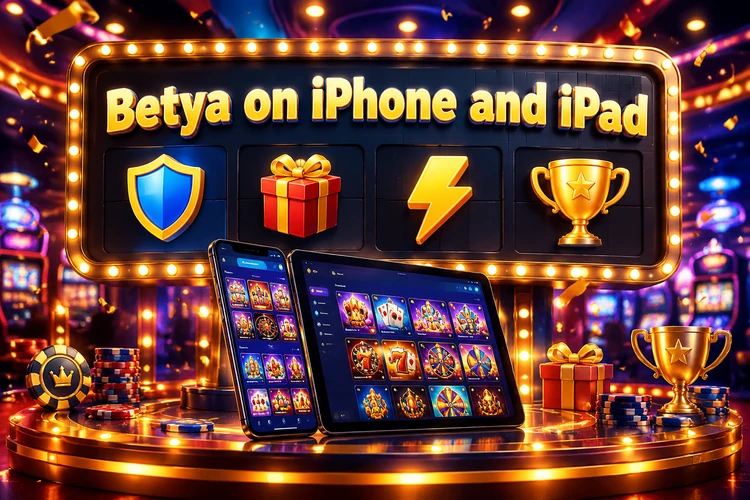
iPhone and iPad users access Betya through Safari or another iOS browser. The site is optimized for Apple devices and supports both portrait and landscape orientations. All casino games and sportsbook features load without requiring an App Store download.
To add a home screen shortcut on an iPhone, open Betya in Safari, tap the Share icon, and select 'Add to Home Screen.' This creates an icon that opens the site in Safari when tapped. The shortcut provides quick access but does not install a native iOS app.
Betya does not have an entry in the Apple App Store. Any app claiming to represent Betya on iOS should be considered unauthorized. Always use the official website through your browser to maintain account security.
Betya Mobile Casino
The mobile casino includes the same game library available on desktop. You can play video slots, table games, and live dealer sessions directly from your phone. Games load in the browser and do not require additional software.
The casino lobby organizes games by category, provider, and popularity. You can search for specific titles or filter by type. Live dealer tables stream in real time, and the video quality adjusts based on your connection speed. For a detailed look at the slot selection, visit the dedicated slots page.
Betya Sportsbook on Mobile
The mobile sportsbook provides access to prematch and live betting markets. You can browse upcoming matches, review odds, and place single or multi-leg bets from your phone. The bet slip tracks your selections and calculates potential returns before you place your bet.
Live betting updates odds as matches progress, and you can view open bets and bet history in your account section. The sportsbook interface is designed for quick navigation, so you can find markets and place bets without switching between multiple screens.
Logging In on Mobile
Logging in on mobile follows the same process as the desktop site. Tap the Login button, enter your username and password, and submit your login details. If you forget your password, select the recovery option to receive a reset link by email.
Make sure you are visiting the official Betya website before entering your credentials. If you encounter login issues, clear your browser cache and try again. For more details about account access, see the Betya Login guide.
What Features Are Available on Mobile?
The mobile site supports the full range of account and gaming features. The table below outlines what you can do from your phone.
| Feature | Mobile |
|---|---|
| Account login | Yes |
| Registration | Yes |
| Slots | Yes |
| Casino games | Yes |
| Live dealer | Yes |
| Sports betting | Yes |
| Deposits | Yes |
| Withdrawals | Yes |
| Account settings | Yes |
| Bonus claims | Yes |
All deposit and withdrawal methods work on mobile, including crypto, cards, and e-wallets. You can update account details and set deposit limits without switching to a computer.
New players can review the current welcome package after registration. Terms and eligibility appear in the cashier, including wagering rules and minimum deposit limits before you claim.
View OfferActive promotions and their terms are available in the same account menu, where you can claim an offer.
Native App vs Mobile Website
Understanding the difference between a native app and a mobile website helps clarify what Betya offers. A native app is a program you download and install directly on your device. It stores files locally and can operate with some offline functionality. Native apps appear in the Google Play Store or Apple App Store and receive updates through those platforms.
A mobile website runs in your browser and does not require installation. You visit the site by entering a URL, and the pages load from the server each time. The site adjusts its layout to fit your screen, but it does not install files on your device.
A home screen shortcut creates a quick-access icon but does not install an app. It simply bookmarks the website so you can open it with one tap. The shortcut opens the site in your browser, and all the same rules for mobile websites apply.
Betya uses the mobile website model. You access the platform through your browser, and you can optionally add a home screen shortcut for convenience. There is no native app to download or update.
Problems With Betya on Mobile
Most mobile issues resolve with basic troubleshooting steps. Below are common problems and how to address them.
Betya does not load
Check your internet connection first. Switch between Wi-Fi and mobile data to see if the issue persists. If the site still does not load, close and reopen your browser. Clearing your browser cache can also help if old files are causing conflicts.
Login fails
Double-check your username and password for typos. If you cannot remember your password, use the 'Forgot password?' link to reset it. Make sure you are on the official Betya website, as phishing sites sometimes mimic the login page. For persistent login problems, contact support for help with account verification.
The page is displayed incorrectly
Clear your browser cache and cookies, then reload the page. An outdated browser version can also cause display issues, so update to the latest version available for your device. Restarting your phone clears temporary system files that may interfere with the browser.
App download is not available
Betya does not offer a downloadable app, so this is expected. Use the mobile website through your browser instead. If you see third-party sites offering a Betya app or APK, avoid downloading those files. They are not authorized by Betya and may compromise your device security.
Open Betya in your phone browser and log in. Casino games and sports markets are ready without any download.
FAQ About Betya App
No, Betya does not have a native app. The platform operates through a mobile-optimized website that works in your browser on both Android and iPhone devices.
Yes, Betya accepts players from Canada. You can access the casino and sportsbook on mobile or desktop, and the site supports multiple currencies and payment methods commonly used in Canada.
Yes, Betya works on Android devices through Chrome or another supported browser. You do not need to install an app; simply visit the website and log in to your account.
Yes, Betya is accessible on iPhone through Safari or another iOS browser. The mobile site is optimized for Apple devices and supports all casino and sportsbook features.
No, Betya has not released an official APK. Any APK files claiming to represent Betya are unauthorized. Always access the platform through the official website in your browser.
Yes, Betya is designed to work in your mobile browser without requiring any downloads. You can access all features by visiting the website directly from your phone.
Yes, your Betya account works across all devices. Log in with the same username and password on mobile, and your account balance, game history, and settings will carry over from desktop.